入坑白菜价 ipv6 vps
本文介绍了如何用低成本 IPv6 VPS 搭建轻量博客。通过 docsify 和 Cloudflare 域名,解决高价 VPS 难题,实现经济实用的网站功能。
0、前言
ipv6 vps 的特点是便宜,正常 ipv4 vps 最便宜要 10 刀 / 年,但是 ipv6 只要 1 刀 / 年
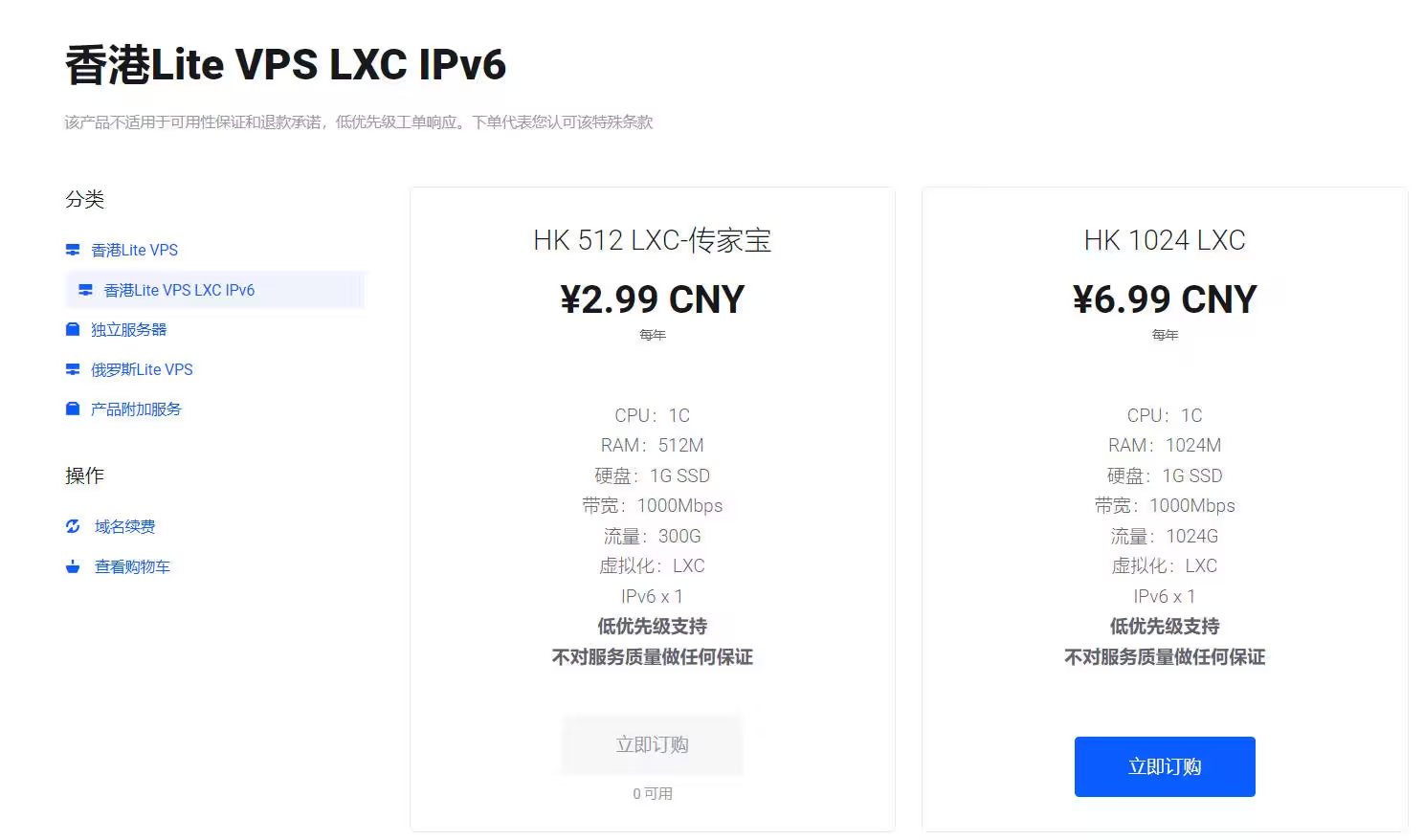
稍微的折腾一下,可以让 v6 vps 提供和 v4 差不多的用途包括但不限于:
1、轻量博客(基于 docsify)
2、个人网盘(基于 filebrowser)
3、科学上网
体验上和 v4 有差距,但是花 1/10 的价钱实现从 0 到 1,还是有一定折腾的意义的
同时 ipv6 vps 要实现上面的功能,需要搭配一个托管在 cloudflare 上的域名
(spaceship 上购买一个六位数.xyz 域名只需 0.67 刀 / 年,购买后在控制中心将 namesever 改为 cf 的即可)
1、轻量博客
1.1、docsify 介绍
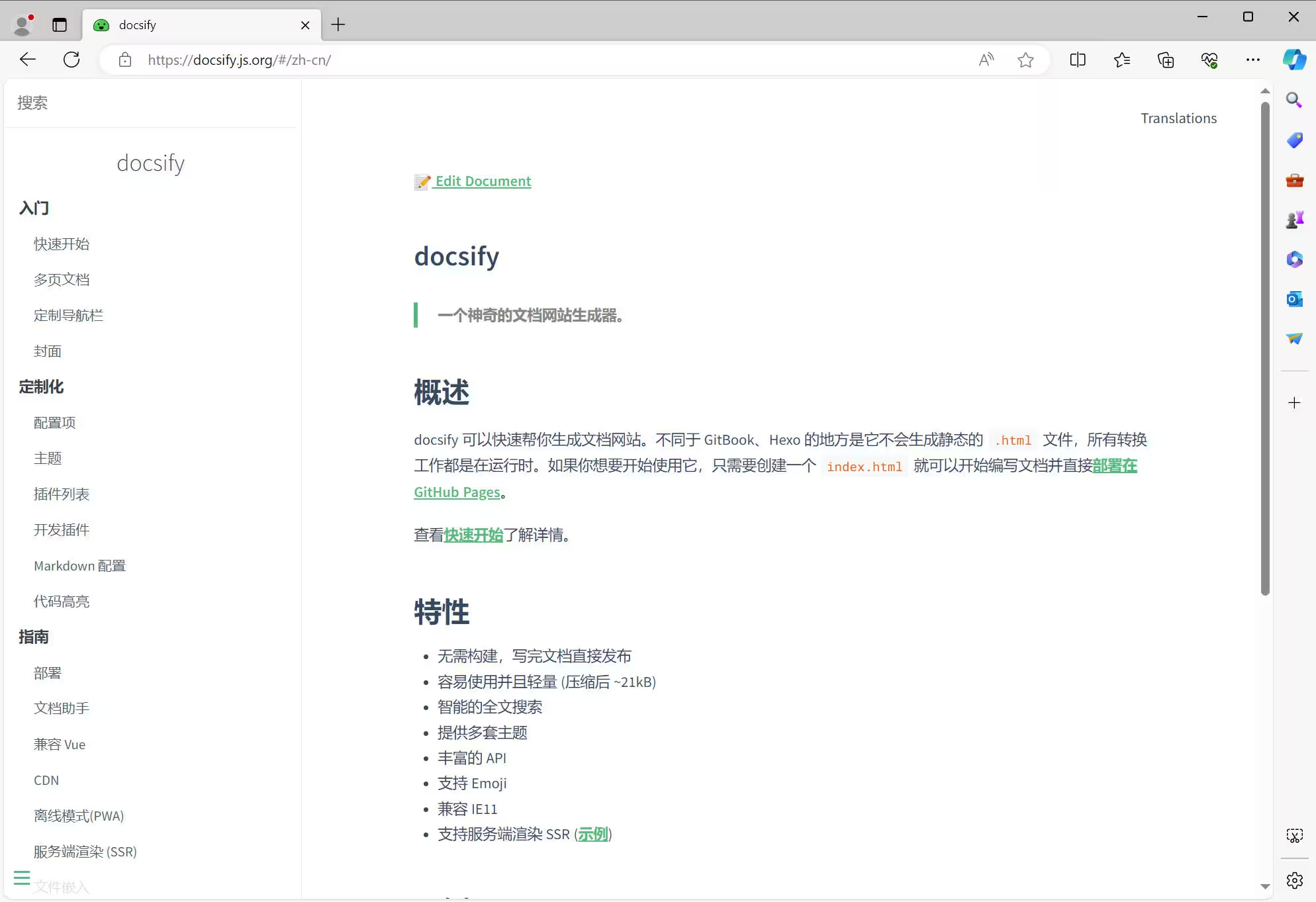
优点:轻量、部署简单、界面简洁轻快、适合展示文档说明
缺点:无法在线编辑,每次改动需要将文档上传到服务器,功能少
基于 markdowm,需要掌握 markdown 语法
1.2、下载
#1 更新源,安装必要程序
apk update &&apk add curl && apk add bash && apk add wget && apk add zip && apk add nano
#2 安装warp,获取ipv4网络
wget  https://gitlab.com/fscarmen/warp/-/raw/main/menu.sh && bash menu.sh 4
# 根据提示词,使用WARP+ ,账号通过Telegram@generatewarpplusbot获取
# vps重启后用warp o命令重新连接
# 设置开机自启
nano /etc/init.d/warp-service
chmod +x /etc/init.d/warp-service
# 填入
#!/sbin/openrc-run
name="warp-service"
command="warp o"
command_background=true
pidfile="/run/${RC_SVCNAME}.pid"
depend() {
need net
use dns logger netmount
}
# 启动
rc-service warp-service start
rc-update add warp-service
#3 获取docsify
cd /usr
wget https://github.com/zouzonghao/docsify/archive/refs/heads/master.zip
unzip master.zip && mv docsify-master docsify
1.3、在 nginx 上部署
#1_安装nginx
apk add nginx
#2_编辑配置文件
rm /etc/nginx/nginx.conf
nano /etc/nginx/nginx.conf
#_右键粘贴;ctrl+s保存;Ctrl+X退出
user root;
worker_processes auto;
pid /run/nginx.pid;
include /etc/nginx/modules-enabled/*.conf;
events {
    worker_connections 768;
}
http {
    sendfile on;
    tcp_nopush on;
    tcp_nodelay on;
    keepalive_timeout 65;
    types_hash_max_size 2048;
    client_max_body_size 1000m;
    include /etc/nginx/mime.types;
    default_type application/octet-stream;
    ssl_protocols TLSv1 TLSv1.1 TLSv1.2;
    ssl_prefer_server_ciphers on;
    access_log /var/log/nginx/access.log;
    error_log /var/log/nginx/error.log;
    gzip on;
    include /etc/nginx/conf.d/*.conf;
    include /etc/nginx/sites-enabled/*;
    server {
        listen 80;
        listen [::]:80;

        location / {
            root /usr/docsify;
            index index.html;
        }
        location /duo {
            proxy_pass http://127.0.0.1:26999;
            proxy_set_header Upgrade $http_upgrade;
            proxy_set_header Connection "upgrade";
            proxy_set_header Host $host;
            proxy_set_header X-Real-IP $remote_addr;
            proxy_set_header X-Forwarded-For $proxy_add_x_forwarded_for;
        }
        location /xui {
            proxy_pass http://127.0.0.1:9000;
            proxy_set_header Upgrade $http_upgrade;
            proxy_set_header Connection "upgrade";
            proxy_set_header Host $host;
            proxy_set_header X-Real-IP $remote_addr;
            proxy_set_header X-Forwarded-For $proxy_add_x_forwarded_for;
        }
        location /file {
            proxy_pass http://127.0.0.1:9001;
            proxy_set_header Upgrade $http_upgrade;
            proxy_set_header Connection "upgrade";
            proxy_set_header Host $host;
            proxy_set_header X-Real-IP $remote_addr;
            proxy_set_header X-Forwarded-For $proxy_add_x_forwarded_for;
        }
        location /jbz{
            alias /usr/jbz/App;
            index index.html;
            }
            location /jbz/Scene {
                alias /usr/jbz/Scene;
        }
    }
}
#重启nginx
pkill nginx
rc-service nginx restart